Family archivist
A scanned family portrait has a small, soft face that is difficult to view.
A restored version may be easier to share, while the scan remains the record to preserve.
Face restoration explained
CodeFormer is a face-restoration model: it produces a clearer-looking face from a degraded image by reconstructing facial detail. If you are asking what does codeformer do, the important distinction is that it estimates plausible detail; it does not uncover an exact, hidden original.
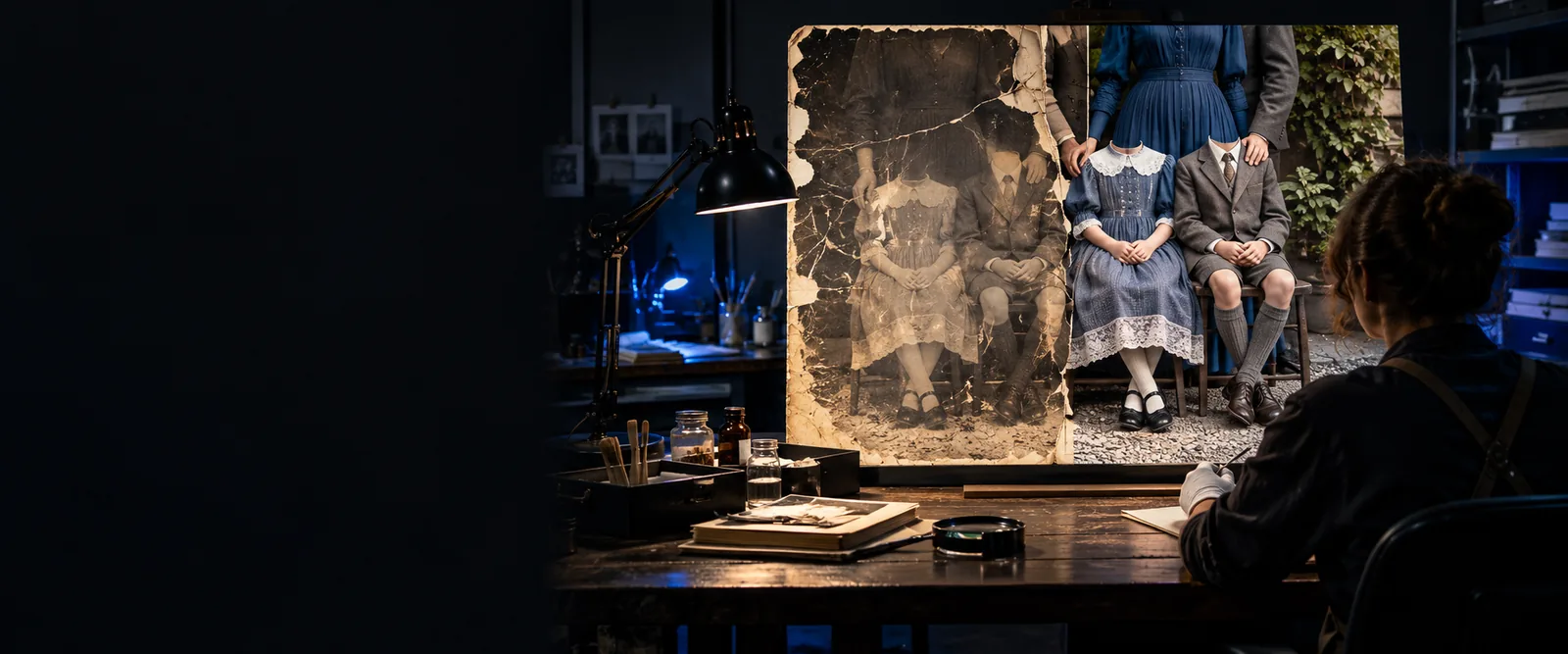
CodeFormer focuses on the face, not on repairing every part of a photograph. These related guides separate its main use from the questions that often follow.
People use face restoration for different reasons, but each use calls for a different standard of success: visual improvement is not the same as historical or personal accuracy.
A scanned family portrait has a small, soft face that is difficult to view.
A restored version may be easier to share, while the scan remains the record to preserve.
A compressed portrait has facial artifacts that distract at normal viewing size.
The editor can assess whether a clearer face still looks consistent with the source.
A restoration step needs to sit alongside other image-processing steps.
The builder can test where face restoration belongs and inspect the output before reuse.
Faces look inconsistent across frames of older or low-quality footage.
The editor can evaluate individual results before considering a frame-by-frame workflow.
The useful mental model is reconstruction, not retrieval. CodeFormer uses visual context to generate a plausible restored face, so a convincing result still needs human review.
Blur, compression, low resolution, or damage can obscure features in the input. The amount and type of surviving information affect what a restoration can reasonably suggest.
CodeFormer draws on learned patterns of faces to produce a more coherent-looking result. Where the source provides little evidence, the new detail is an estimate rather than a recovered fact.
Check recognizable features, expression, skin texture, hairline, and the boundary around the face. Keep the original available so improvements in clarity do not hide unwanted changes.
A clearer output may be useful without being a faithful record of every original feature. This comparison shows what changes visually and what remains uncertain.
| Degraded input | CodeFormer-processed face | |
|---|---|---|
| Facial detail | May appear soft, blocky, or incomplete. | May appear more defined, with generated detail filling weak areas. |
| Identity | Visible features provide the reference, even when hard to read. | May resemble the subject, but important features can shift. |
| Expression | The available expression is limited by image quality. | Can look clearer while subtly changing the perceived expression. |
| Historical accuracy | The source preserves the surviving visual evidence. | Cannot verify details that were never visible in the source. |
| Background | May contain its own blur, scratches, or damage. | Face restoration alone is not a complete background repair. |
| Best use | A record to retain and consult. | A viewing or editing version to judge alongside the original. |
The main limits matter most when a photograph is personally significant or the result might be mistaken for documentary evidence.
If the eyes, mouth, or other features are missing from the source, a detailed-looking output is still a prediction. Sharpness by itself is not proof of accuracy.
What to do instead
Compare against other photographs of the same person when available, and label the result as restored.
A clearer face can sit beside damaged clothing, a scratched background, or faded color. Those issues call for separate editing decisions.
What to do instead
Assess the whole image after face restoration rather than judging only the face crop.
Small faces and severely damaged inputs may produce altered features, artificial texture, or a face that looks disconnected from its surroundings.
What to do instead
Inspect the result at full size and at normal viewing size; retain the source if the changes are misleading.
CodeFormer is most useful when you want to assess whether a degraded face can be made easier to view. Treat the result as an interpretation, especially for family records, archival material, and portraits where likeness matters. Keep the original image and decide whether the restored version serves your purpose after comparing them.
CodeFormer restores degraded faces in images by generating clearer-looking facial detail. It can make a portrait easier to view, but detail that was absent or obscured in the input is estimated rather than recovered with certainty.
Its defining task is face restoration, not comprehensive repair of every object and background area. Inspect the complete image afterward to see whether the face and its surroundings still look consistent.
Not necessarily. A realistic-looking restoration can alter features when the original provides too little information, so the unedited image remains the better record of what was captured.
Keep a restored version when it improves readability without introducing changes that undermine your purpose. Compare it with the source, particularly around identity-defining features, expression, and the edge of the face.